
TINTING SOFTWARE FOR PAINT SHOPS
With GFCTinter you find the colour and check it, then send it to the tinting machine without switching programs. Formulas are calculated on your own paint and on GFC colorants, and among the possible formulas the program picks the one that costs least.
IN YOUR PAINT SHOP
When the shade does not match the sample, you waste paint and colorants and the customer leaves unhappy.
While you hunt for a formula across colour cards, spreadsheets and different programs, the customer is left waiting.
If you do not know what each can costs you in colorants, it is hard to set the right price.
WHAT CHANGES WITH GFCTINTER
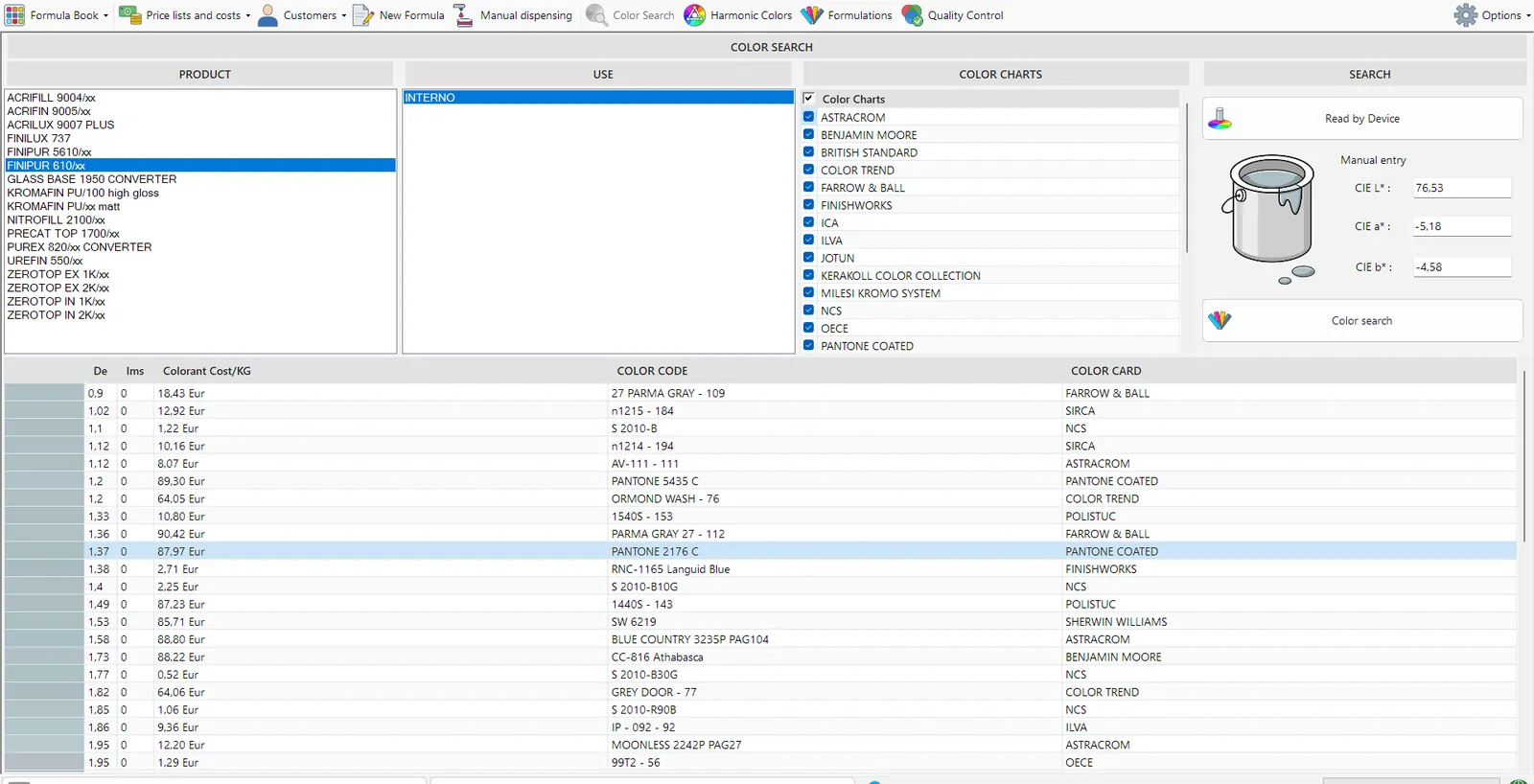
Look up a shade by name or code among over 100,000 formulas. With a device connected, you measure the sample and the program shows you the closest formula.
Formulas are calculated on your own paint. With a spectrophotometer you check that the colour matches the sample before you hand over the can.
Among the formulas that give the same colour, the program picks the one with the cheapest colorants, without lowering the quality. And you see straight away what it costs.
It connects to COROB, HERO and Fast&Fluid automatic tinting machines and sends the formula already converted into their units. With manual ones it shows the doses in ounces and shots.
If you have several shops, new formulas and price lists reach all of them at once through the cloud, or just some of them, including when the GFC lab improves a formula.
The sheet and label come out with your logo and UFI codes already filled in, and you print them right in your shop. You customise the Word templates yourself.
FORMULA BOOK
GFCTinter holds more than 100,000 formulas on the most popular colour cards and, if you need them, we also develop formulas for your own cards.
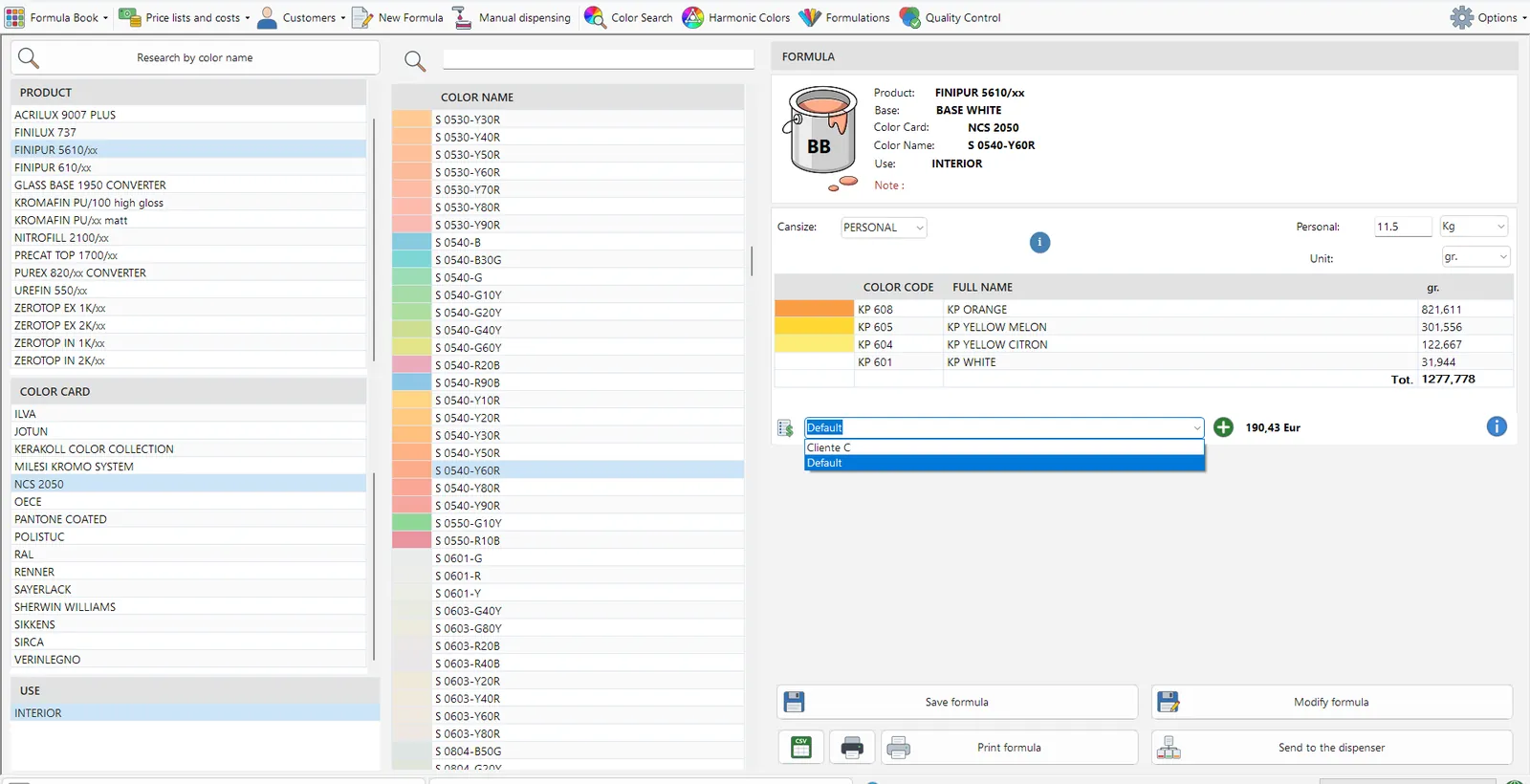
Choose the product, colour card and shade, and the program calculates the formula for the can size you need, in kilos, litres or gallons. Then you send it to the tinting machine and save it to the customer’s record.
FORMULATION MODULE
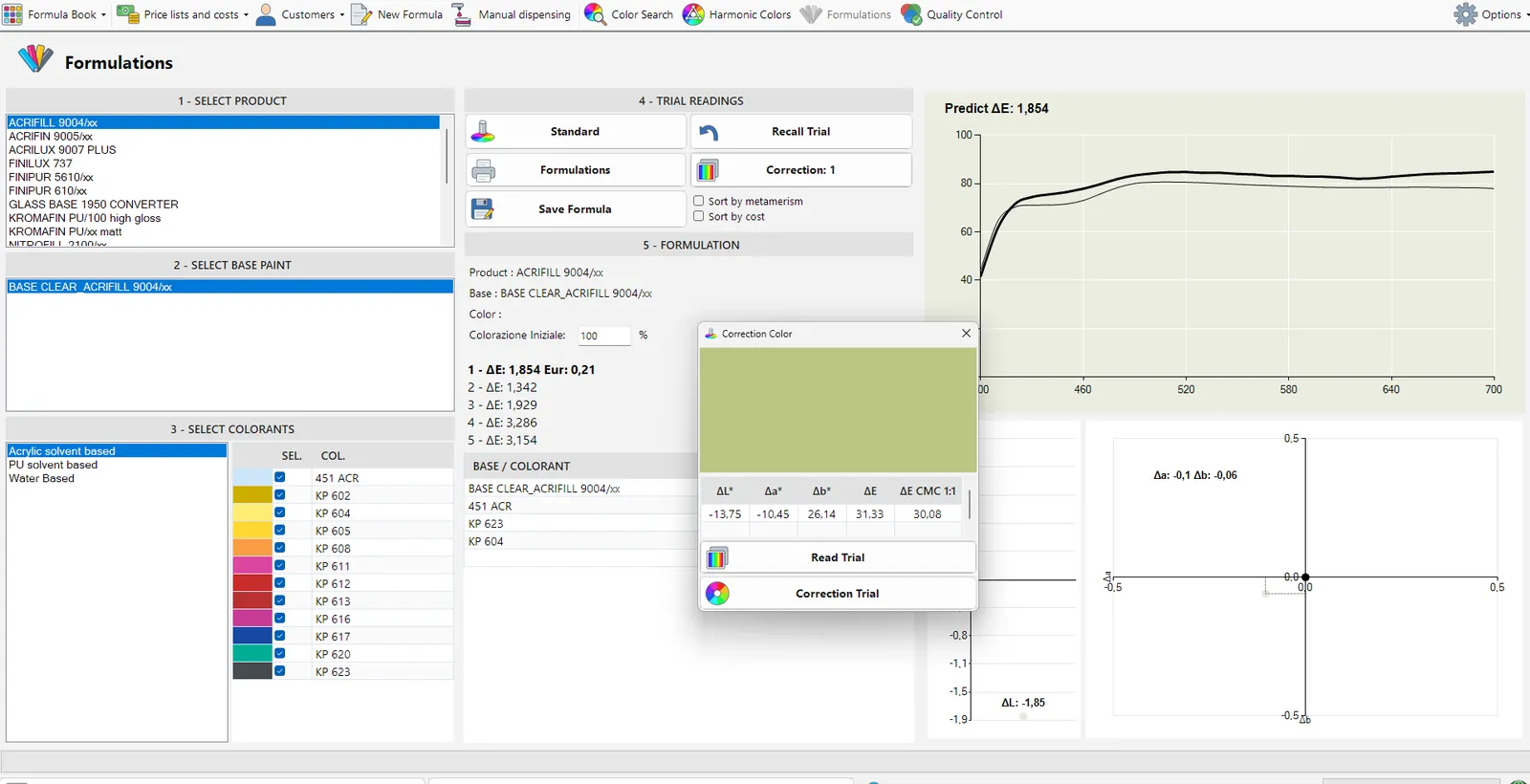
With the formulation module and a spectrophotometer, you read the sample and GFCTinter calculates the formula on your bases. If the first result is not enough, the program guides you through the correction.
Values and charts tell you whether the colour is close enough to the sample before you hand it over. Every check is saved in a report.
ADVICE FOR THE CUSTOMER
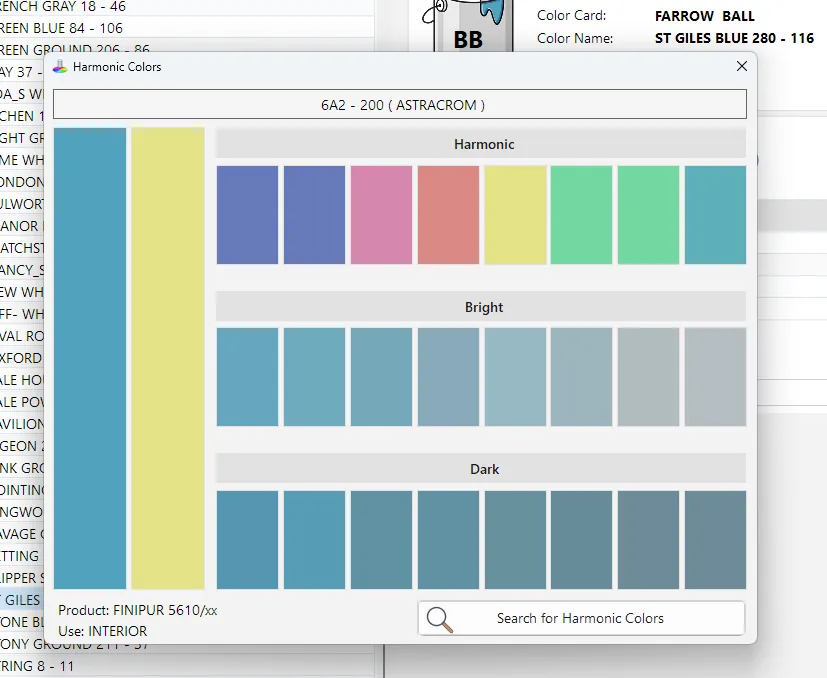
When the customer cannot decide, the program starts from the chosen shade and shows you colours that go well with it. You have something concrete to suggest, and the customer leaves with a clear choice.
GFCTinter connects to your measuring devices and your tinting machine, so you keep working the way you are used to.
GFC COLORANTS
We make seven colorant lines. Five are waterborne with a low solvent content, while the two polyester resin lines contain no solvent at all. Our lab tests these colorants on your paint and calculates the formulas on that exact combination, which is why the colour comes out right.
FORMULA BOOK · IN EVERY PACKAGE
01
Look up the shade by name or code, or pick the product, colour card and use until you reach the colour your customer wants.
02
You see a preview of the colour, the base and the colorants in the formula and, if costs are turned on, what it costs you.
03
Choose the standard pack or any quantity, and the program recalculates the formula in kilos, litres or gallons.
04
Send the formula to your automatic tinting machine, already converted into its units, or follow the doses in ounces and shots on a manual one.
05
Print the sheet and the can label with UFI codes, and save the formula to the customer’s record. You will find it again in the history, ready to repeat.
FORMULATION MODULE
With the formulation module and a spectrophotometer you can also match a colour that is not on any colour card.
01
Read the sample with the spectrophotometer, several times if needed, and the program uses the average of the readings.
02
The program calculates the formula on your bases and, if needed, guides you through the correction.
03
Send the formula to the tinting machine and print the can label.
FAQ
Yes, if it is one of the most common ones. GFCTinter connects to automatic tinting machines such as COROB, HERO and Fast&Fluid. If you use a manual tinting machine, it shows you the doses in ounces and shots.
Yes, because the software works with GFC colorants. Our lab tests them on your bases and calculates the formulas on exactly that combination, which is how the colour comes out right.
Yes, because the steps never change: find the colour, check the formula, send it to the tinting machine and print the label. The screens are simple and look like Windows 11.
No. Every three days the program saves a copy of your data on its own to your private online space and always keeps the last two. If your PC breaks, GFC helps you restore everything. Just keep the files of any colour cards you imported yourself.
You get help from the GFC Chimica lab, the same team that prepares your formulas. Write to us from the Contact page and we will reply within 48 hours.
One of our technicians will show you GFCTinter with the products you sell and the colour cards you use every day.