The Formula Book is the heart of GFCTinter and comes with every package. This is how you use it every day, from the customer’s request to the label on the can.
Look up the shade by name or code, or pick the product, colour card and use until you reach the colour your customer wants.
02
See the formula
You see a preview of the colour, the base, the colorants with their UFI codes and the notes and, if costs are turned on, what it costs you.
03
Choose the quantity
Choose the standard pack or any quantity, and the program recalculates the formula in kilos, litres or US and UK gallons.
04
Dispense
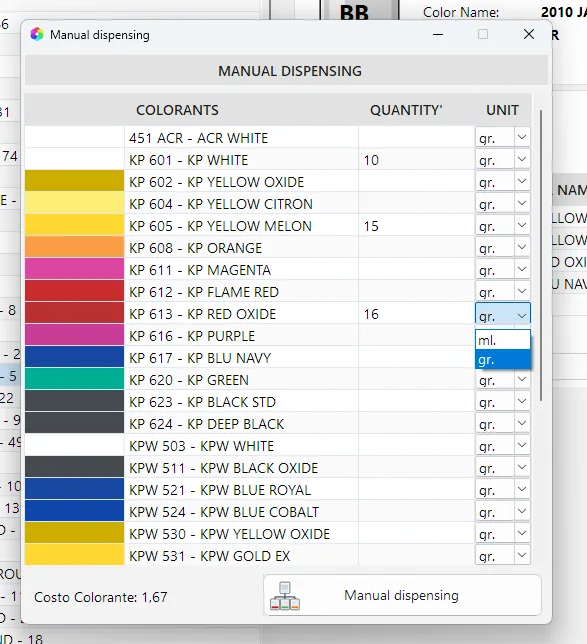
Send the formula to your automatic tinting machine, already converted into its units, or follow the doses in ounces and shots on a manual one.
05
Print and save
Print the sheet and can label with UFI codes and save the formula to the customer’s record. In the history you find it by date, ready to repeat.
FORMULATION MODULE
When a customer brings a sample
With the formulation module and a connected spectrophotometer you can also match a colour that is not on any colour card. It is an extra feature you add when you need it.
01
Measure
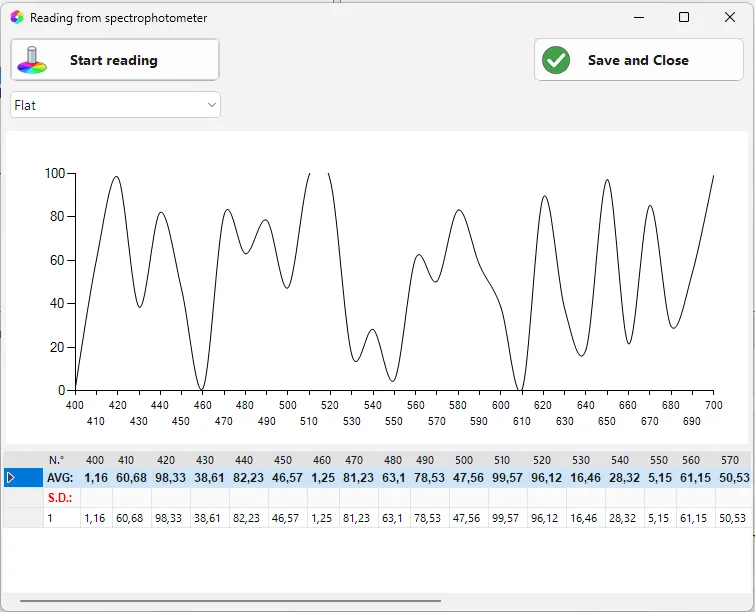
Read the sample with the spectrophotometer, several times if needed, and the program uses the average of the readings.
02
Calculate the formula
The program calculates the formula on your bases and the colorants you use, ready for the can size you need.
03
Check
You compare the colour with the sample and correct the formula if needed. The check is saved.
04
Dispense
You send the formula to the automatic tinting machine or, with a manual one, follow the doses in ounces and shots.
05
Print
You print the sheet and label with UFI codes and save the formula to the customer’s record, so you find it again.
FORMULATION MODULE
From sample to formula
Read the sample and GFCTinter calculates a new formula on your product. If you like, it also suggests colours that go well together for you to offer the customer.
QUALITY CONTROL MODULE
Check the quality
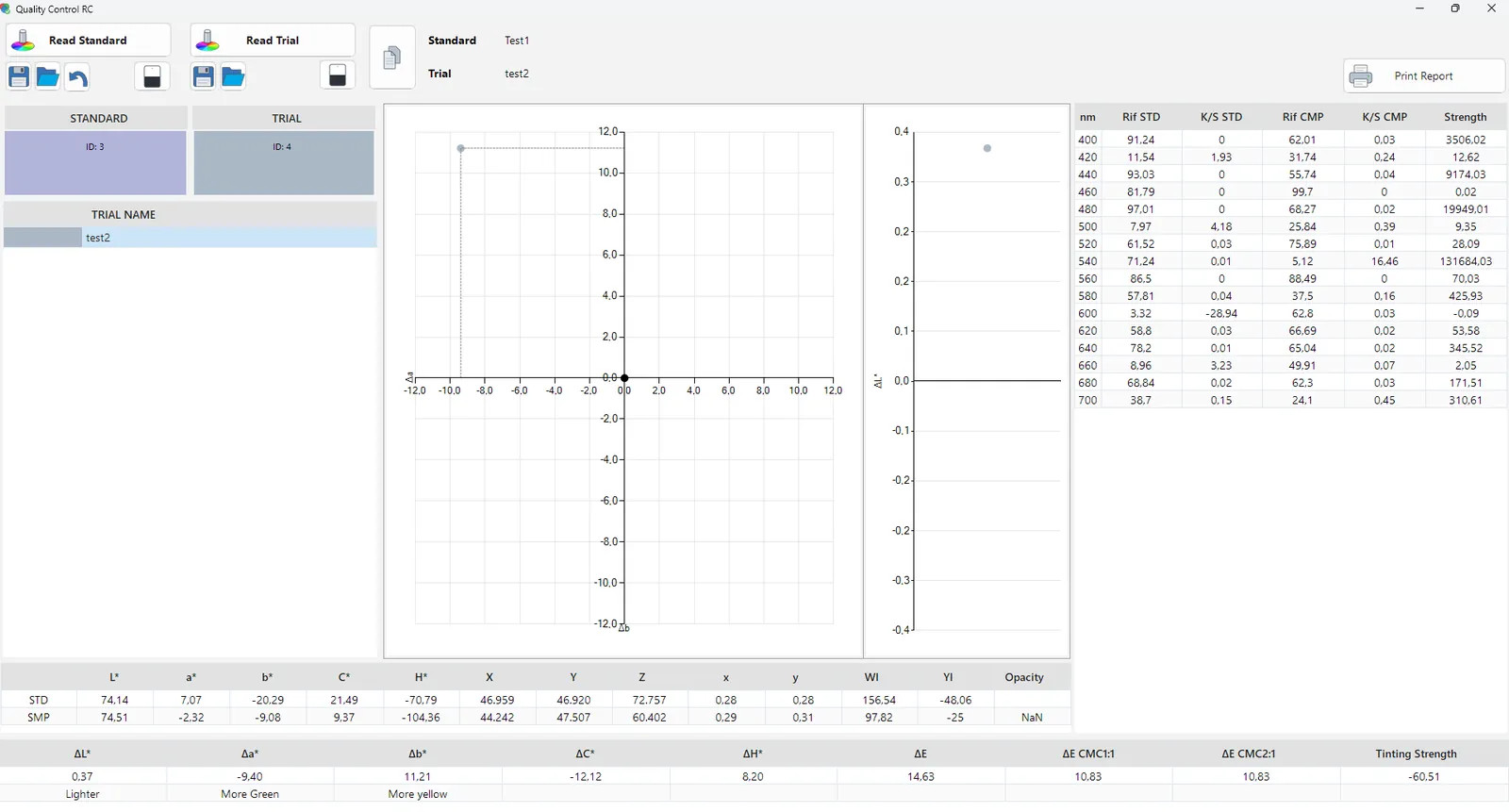
Before you hand over the can you already know whether the colour is right, because the charts show it straight away. Every check is saved in a report you can print.
IN EVERY PACKAGE
Dispense and print
From the same screen you send the formula to the tinting machine. Then you print the sheet and label, with the customer’s details and the UFI codes of bases and colorants.
Try it with your own bases and colorants
One of our technicians will show you GFCTinter with the products you sell and the colour cards you use every day.