
GFCTINTER SOFTWARE
GFCTinter is a Windows PC program designed for paint shops and paint retailers. You turn on only the features you need today and add others as your business grows.
INSIDE THE PROGRAM
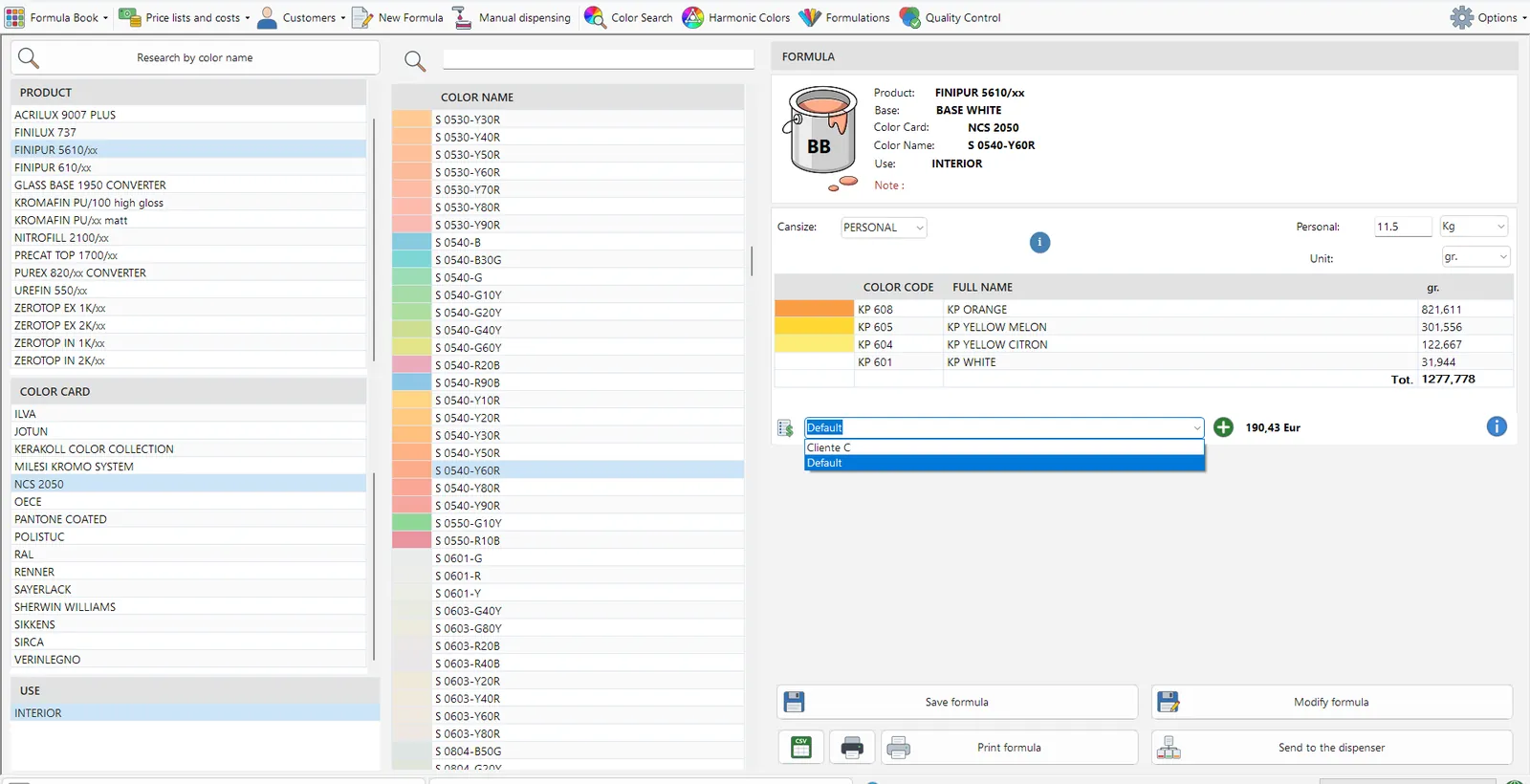
Choose the product, colour card and shade, and the formula is ready for the can size you need, with its cost.
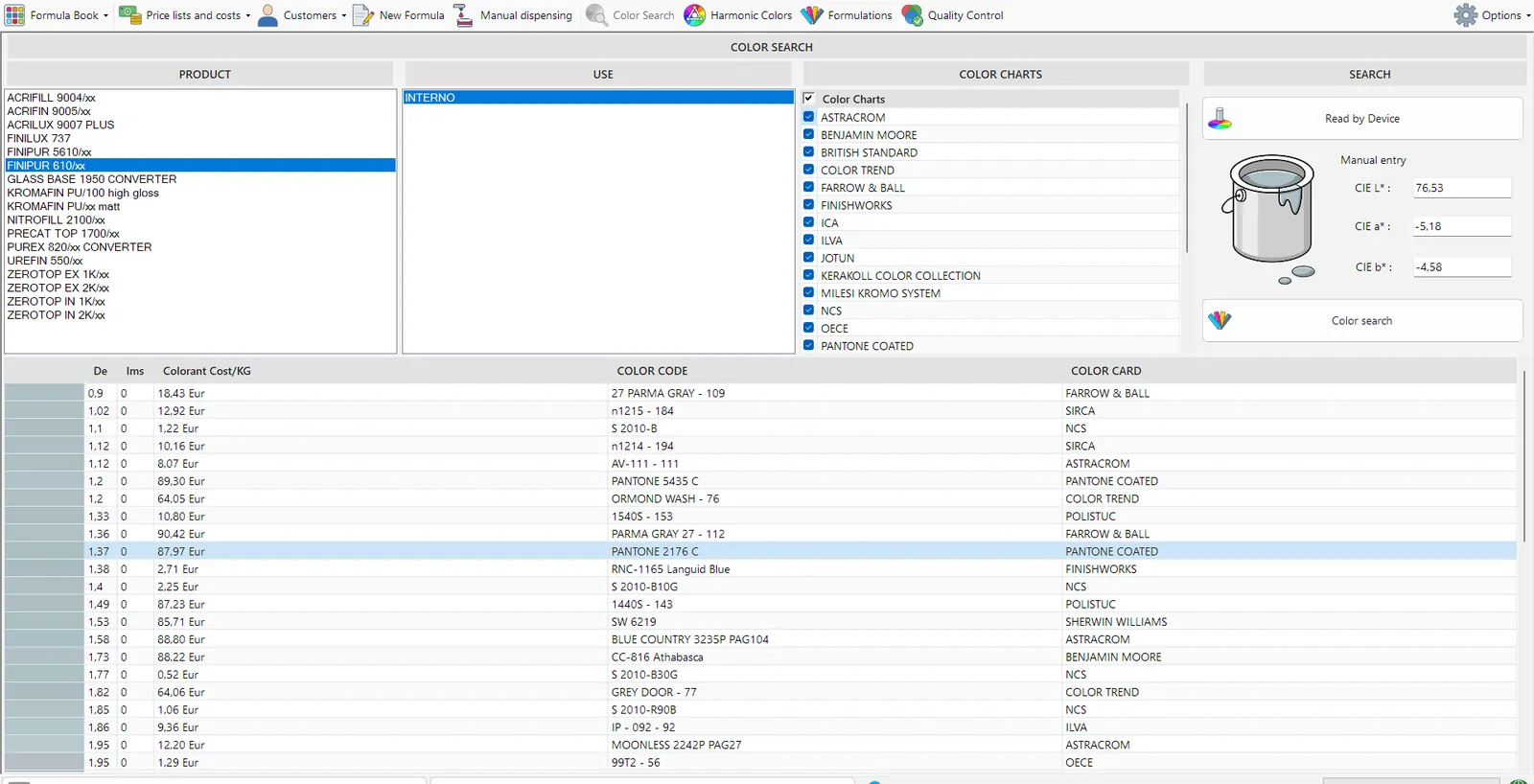
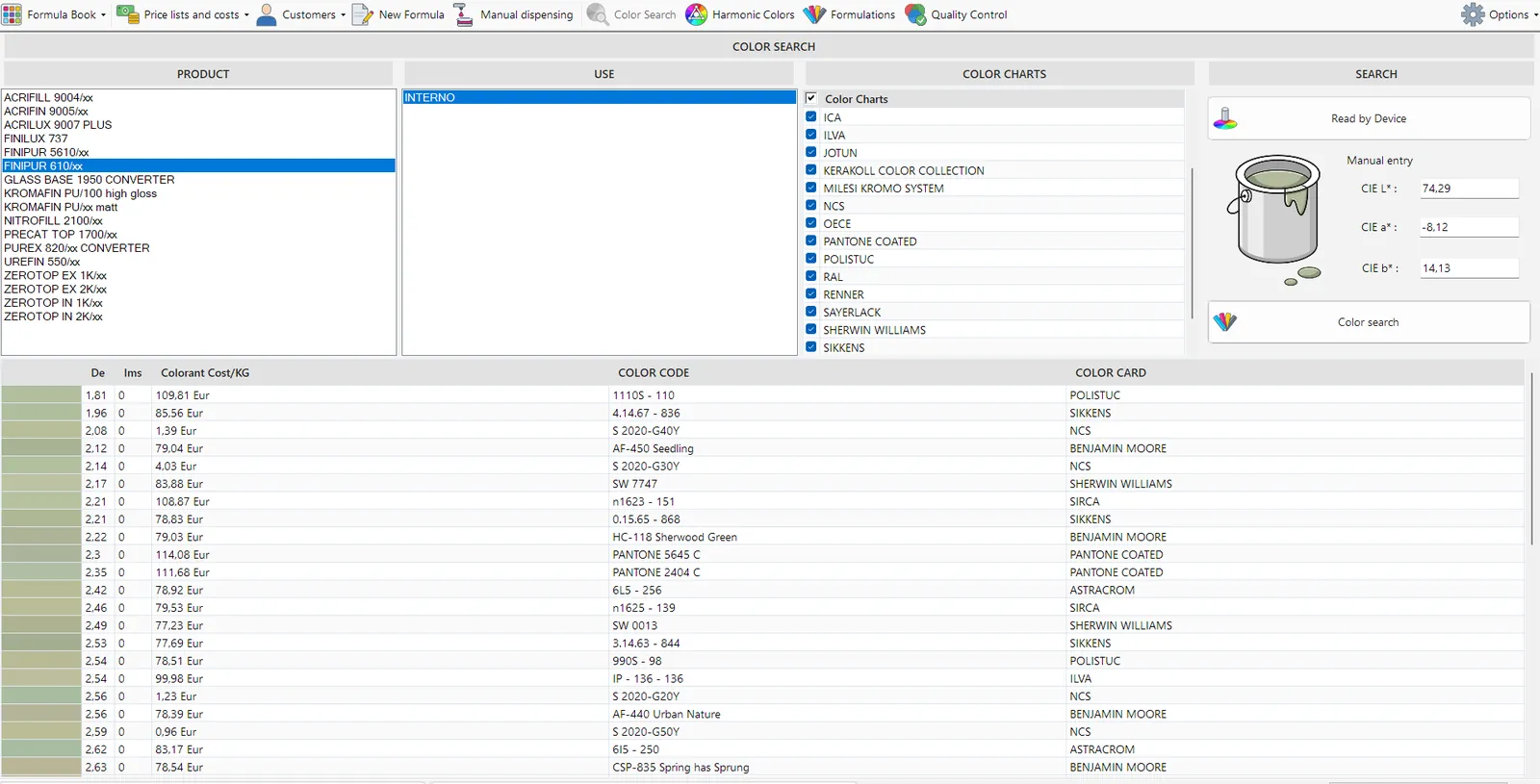
Enter or measure a colour and see the closest shades across all colour cards, with the colorant cost.
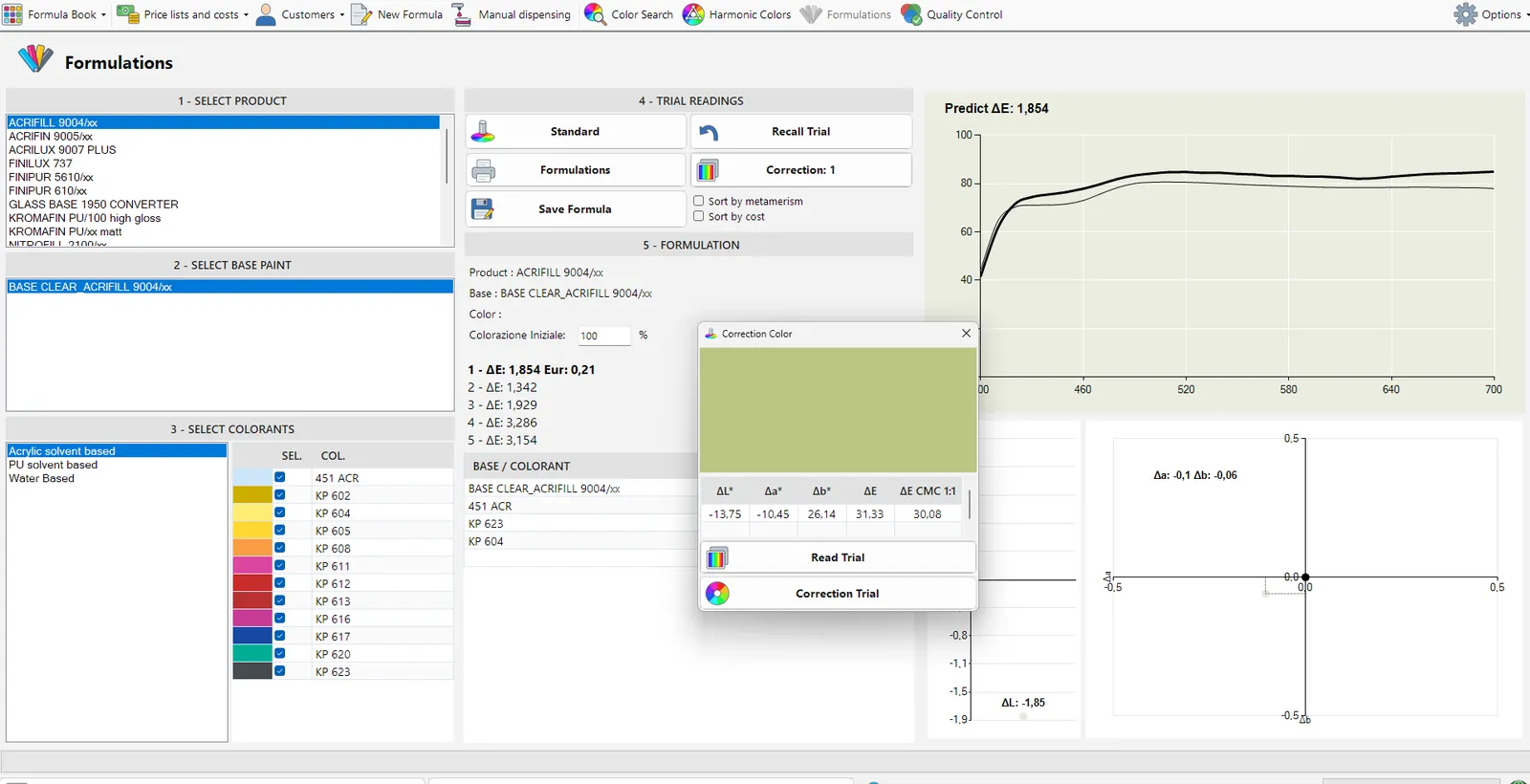
With the formulation module you read the sample and the program calculates the formula on your bases, then guides the correction.
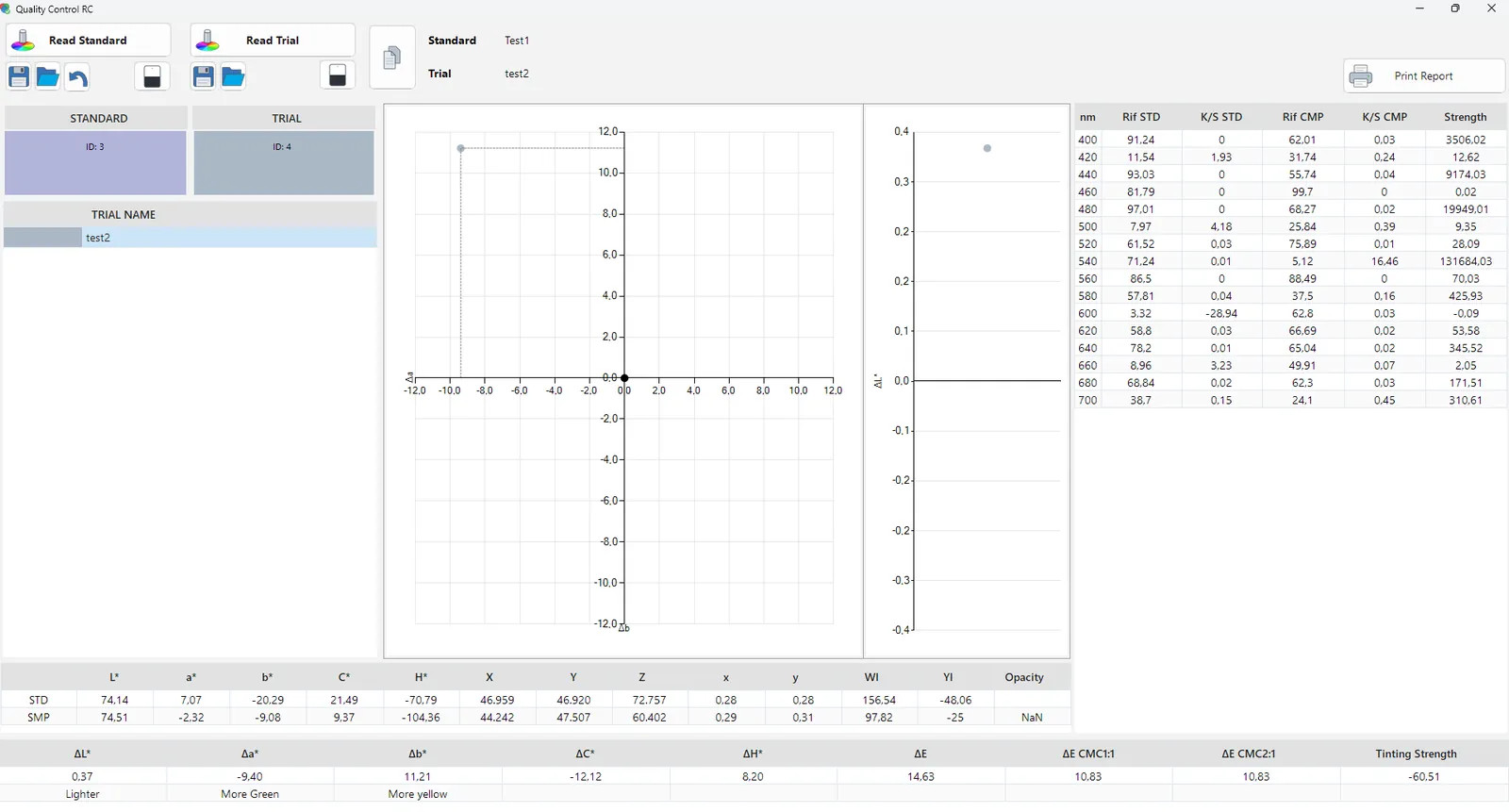
With the quality control module you compare your colour with the reference and see straight away whether it is lighter, darker or shifted in hue.
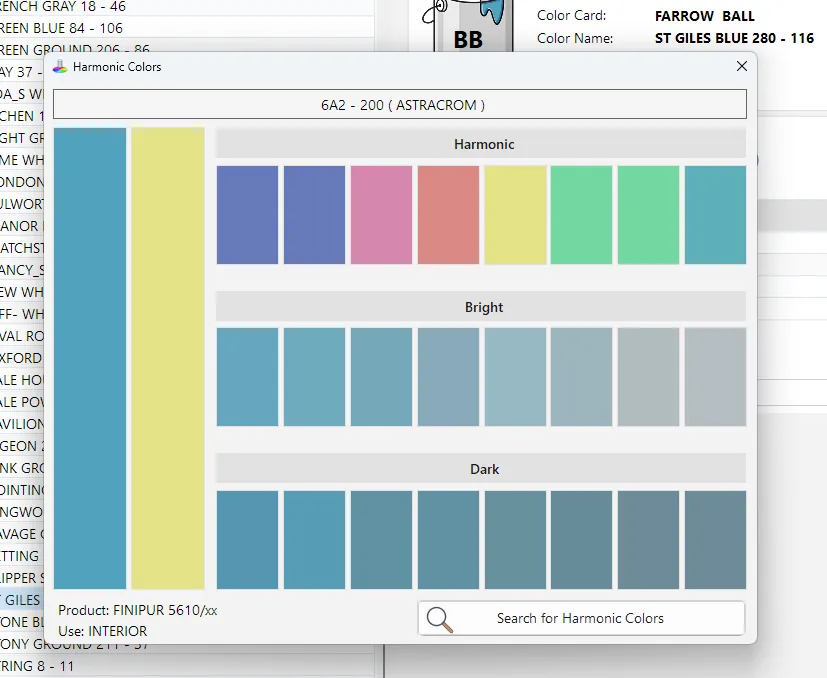
Starting from the chosen shade you see colours that go well together, lighter and darker, to suggest to the customer.
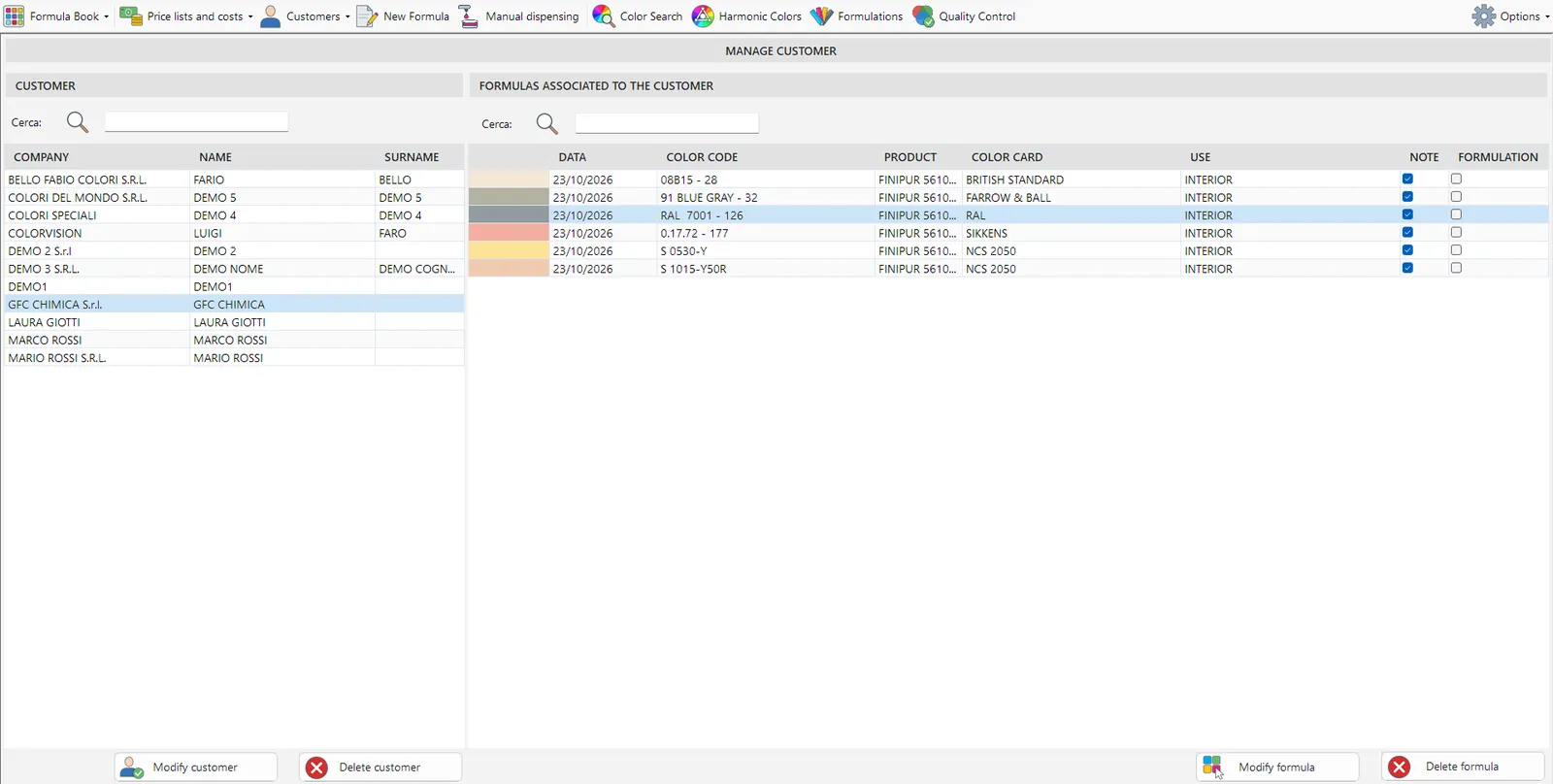
For each customer you see the formulas you have prepared, with date, colour code, product and colour card.
EVERY DAY IN YOUR SHOP
Choose the product, the colour card and where the paint will be used. The formula adapts to the can size you need, in kilos, litres or gallons, including multi component products.
You find a shade by name or code, or the one closest to the sample you have just read. So you quickly have a starting formula or an alternative to suggest.
Starting from the chosen shade, the program suggests colours that go well together and complementary colours, linked to the shades in the catalogue. So you have more to offer the customer.
Among the colorant combinations that give the same colour, the program picks the one that costs least without lowering the quality, and shows you the cost of the formula.
If a customer wants a variation, you adjust the formula and save it under a name, so you find it again next time. You can also print it and, with the formulation module, start from it.
You send the formula to the tinting machine already converted into its units and, if you like, record it in the history. With manual tinting machines you see the doses in ounces and shots.
ADD-ON MODULES
With the formulation module and a connected spectrophotometer you match the colour of the sample your customer brings in. The program calculates the formula on your bases and the colorants you use and, if the result is not right yet, guides you through the correction.
Quality control compares your colour with the reference. You see straight away whether it is lighter or darker, or shifted in hue or strength. A chart tells you whether the difference is acceptable. Every reading is saved, so you can reopen earlier checks and print the report whenever you need it. If you only need quality control, there is also a dedicated version.
MANAGEMENT
Every customer has a record linked to their formulas and price lists, and their details go straight onto the printouts. So you quickly find the shades of your regular customers.
Organise the orders and jobs to prepare, with the colour preview and the formula always at hand and consistent with the rest of the program. It is a module you add if you need it.
You know what every formula costs and create price lists with a percentage markup on bases, colorants and packs, without retyping prices. If you prefer, costs stay hidden from the staff serving customers.
See what you formulate and dispense over time, always up to date. So the owner knows which products and shades sell best.
Every tint you dispense is recorded, so you can find it by period or date. From there you reopen it in the Formula Book to repeat it exactly or reprint it.
If you run several shops, you update them through the cloud all at once or in groups. Formulas improved by the GFC lab and new price lists reach every shop, and each one has its own private online space.
DOCUMENTS AND SECURITY
You print the formula sheet and the can label with Word templates you customise, with your letterhead, the customer’s details, the formula and the UFI codes.
The UFI codes of bases and colorants are needed for safety and labelling, and appear on screen and on printouts. If you do not need them while serving customers, you can hide them.
You export your formulas to a CSV file when you need them in another program or for other uses. So you do not have to retype them.
Every three days the program saves a copy of your data on its own to your private online space, and always keeps the last two copies. You can also back up whenever you want. If your PC breaks, GFC helps you restore everything.
When you step away, you lock the screen with a password, which helps when the workstation is unattended. Settings and admin functions stay reserved for the administrator.
Your licence is tied to a USB key or to your PC, so the program is protected and set up for your installation. When a new version comes out, the program lets you know.
TAILORED
We turn on only what you need: the full program or just one part, such as quality control or formulation, also without costs or for manual tinting machines. GFC’s technical team takes care of installation and setup.
Choose the standard pack or any quantity, in kilos, litres or US and UK gallons. For multi component products the program shows how much of each component, A, B and C, to use.
You decide which device to use, which screen to start from, how many readings to take and which units to work in. Settings stay reserved for the administrator and protected by a password.
INTERFACE
The look follows Windows 11, which you can turn on or off, and is designed for people who use it every day. The program is available in Italian, English, French and Portuguese and, if you need another language, we can add it.
The catalogue is updated directly by GFC, so you always work with the latest formulas.
PACKAGES
Every package includes GFC colorants and testing by our lab on your bases. Once we have seen how you work, we prepare an offer tailored to you.
To start with ready formulas
To find colours with a device
To match the colour of a sample
You can add the Quality Control module and the customisable GFC INTERNI and GFC ESTERNI colour cards at any time.
FAQ
Yes. Start with the Formula Book and add devices, formulation or quality control when you need them.
GFCTinter connects to the most common automatic tinting machines, including COROB, HERO and Fast&Fluid, and also works with manual tinting machines.
Yes. Costs and price lists stay visible to the administrator, while the people serving customers do not see them.
One of our technicians will show you GFCTinter with the products you sell and the colour cards you use every day.